
Policies and Controls
Write an expectation, describe how the team follows it and connect that practice to a duty.
A Policy says what your organisation expects. A Control describes how people and systems put that expectation into practice.
For example, a support Policy may require human review before sensitive account changes. Its Control explains who reviews a request, what they check, how the application waits and where the decision is saved. Use these records when you need a practice that a team can follow and a reviewer can inspect.
Document one review practice
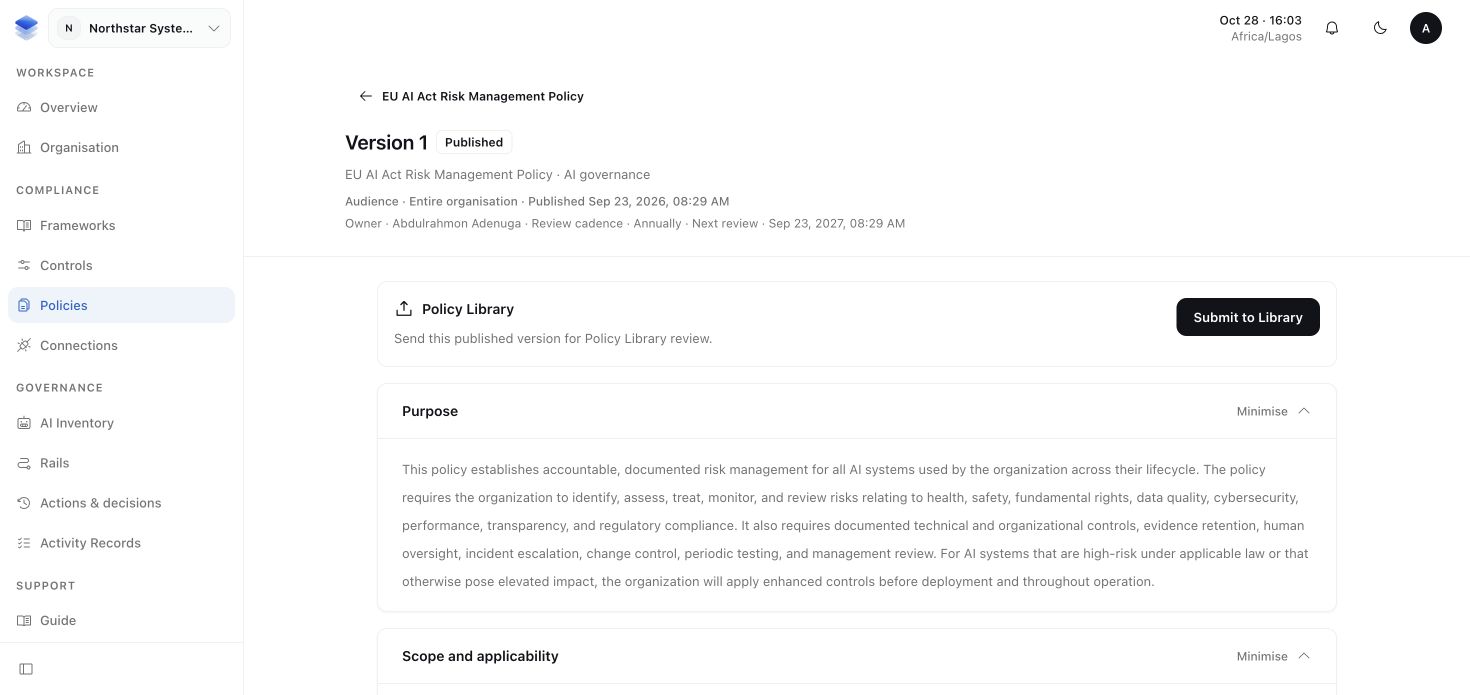
1. Write the expectation in a Policy
Open Policies and prepare the organisation's document. Give it a responsible owner, an audience and a review schedule. State which requests need human review and why. Policy Library material can provide a starting point, but your organisation still reviews and publishes its own document.
Ask the authorised reviewers to review it. Publication keeps the agreed edition available for the people and Controls that rely on it.
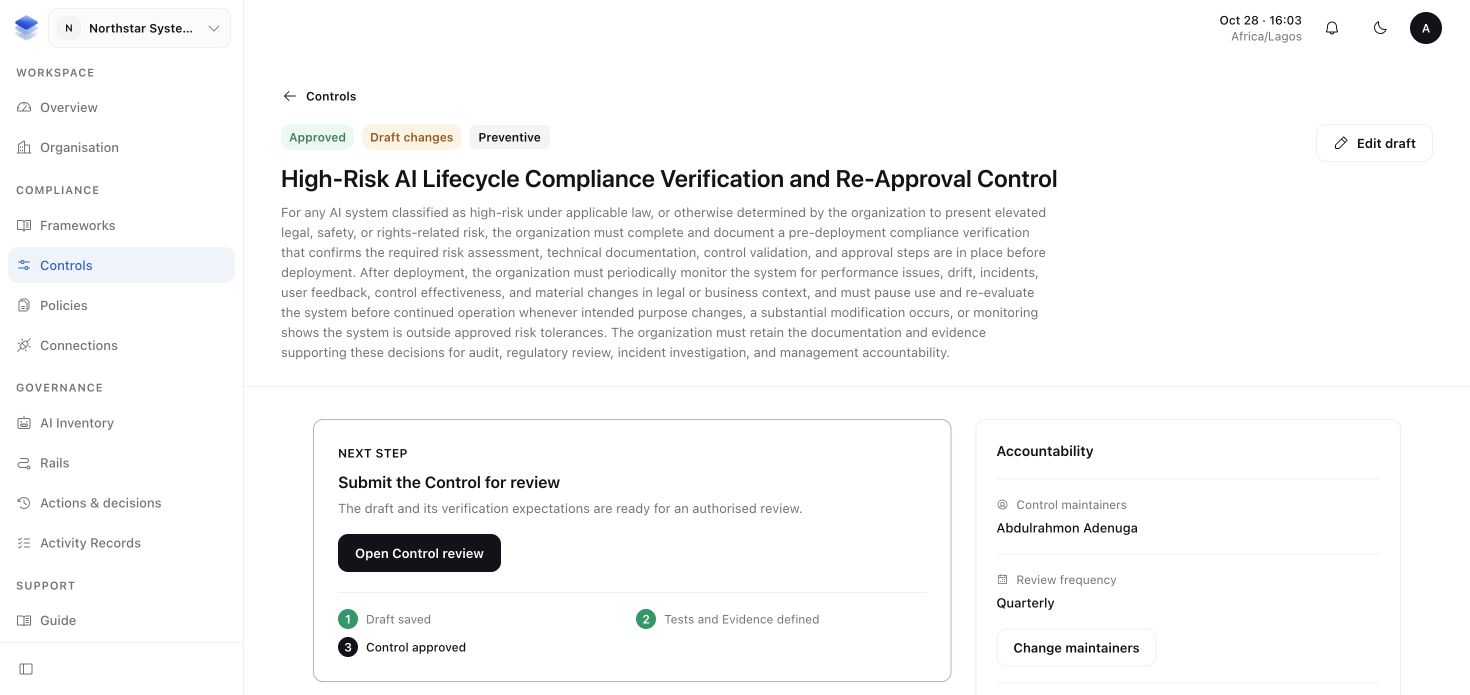
2. Describe the working process in a Control
Open Controls and describe the practice that fulfils the expectation. For the support review process, include:
- Outcome: sensitive account changes receive the required human review.
- Responsibility: who maintains the process and who reviews requests.
- Procedure: what the reviewer inspects and how the application waits for the decision.
- Verification: how the team will check the requests and saved approvals over a defined period.
If the practice relies on a Policy, select the published Policy version that supplies the expectation. Review and approve the Control when it accurately describes the work.
3. Connect the practice to the duty it addresses
Return to the active Framework's Obligations and choose View coverage for the relevant duty. Select or review the approved Control that addresses it. The Framework's Controls section also offers Choose Controls for Obligations and Create Control when your access permits them.
This reviewed connection is called a Mapping. It records which approved practice your organisation relies on for that applicable duty. Explain how the practice addresses the duty; a similar title alone is not enough.
You should now have a published expectation, an approved working practice and a reviewed connection to the obligation. Next, Tests and Evidence shows how to check whether the practice works.
More about reusing Controls and Policies
Policies and Controls belong to the organisation. Reuse one approved practice when several Frameworks call for the same process. Creating a copy for each Framework makes it harder to maintain one reliable account of the work.
A scoped Implementation describes a genuine variation of a Control. For example, a separate support operation may have a different reviewer and procedure. Use an Implementation when that difference matters, not simply because the Control supports another Framework.
More about approval and later changes
A draft and an AI suggestion still need human review. A published Policy or approved Control version preserves the edition that was reviewed. Later edits do not overwrite what was approved before.
A Mapping preserves the obligation's applicability decision and the selected approved Control version. A draft, a free-text Policy mention or a newer Control version does not silently replace that reviewed connection. Review a replacement when the duty or practice changes.
If a Control cannot be selected, check its approval state, audience and your access. If several Controls contribute, review their combined coverage rather than assuming one partial practice fulfils the whole duty.